 Chat with us

Call us now :07971671080
 Send Inquiry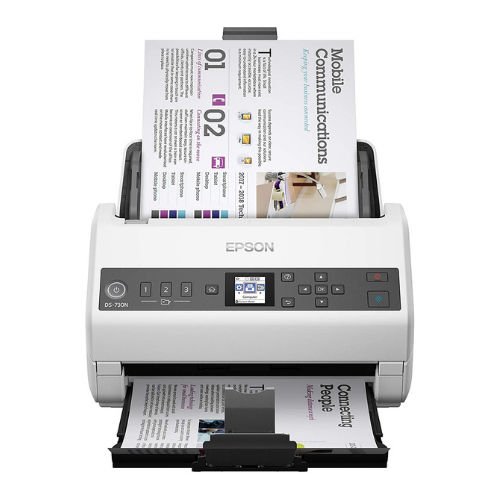
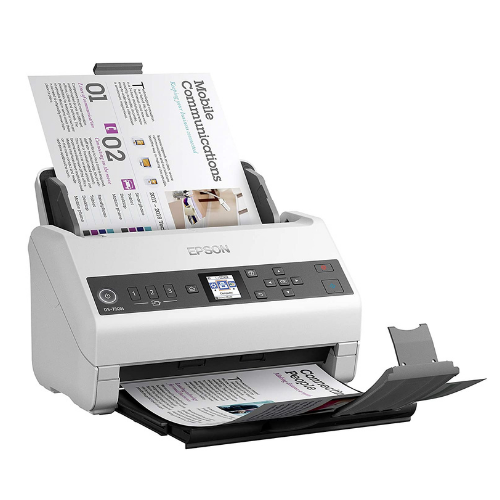
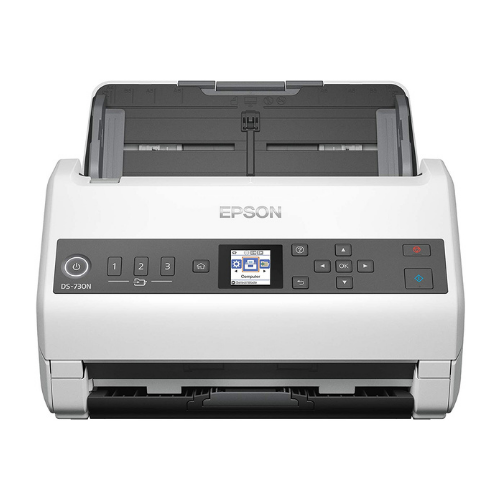
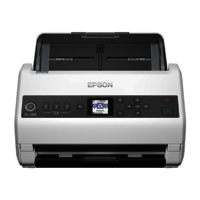
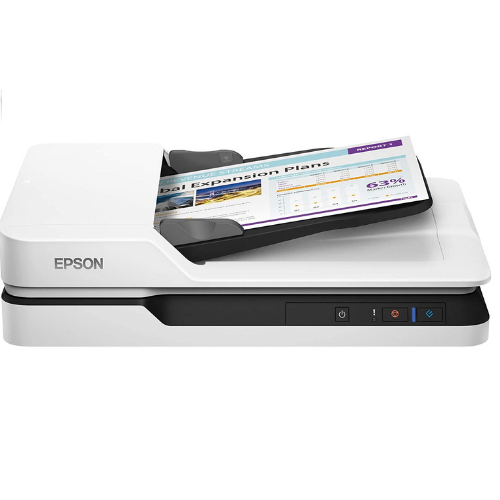
Epson DS730N Network Color Document Scanner ADF Duplex
34509 INR/Box
Product Details:
- Processor Speed 600 MHz
- Scanning Resolution 600 x 600 dpi (Optical)
- Power Consumption Operating: 19 W; Sleep: 1.2 W; Ready: 8 W
- Accessory Name ADF Paper Tray, Power Cord, Installation CD
- Scan Speed Up to 40 ppm / 80 ipm (200/300 dpi)
- Print Technology CIS (Contact Image Sensor)
- Display Type LCD Panel (2-line)
- Click to View more
X
Epson DS730N Network Color Document Scanner ADF Duplex Price And Quantity
- 1 Box
- 34509 INR/Box
- Yes
- Ultrasonic
- Yes, Duplex
- Windows, MacOS
- Epson Scan 2, Document Capture Pro, TWAIN and ISIS drivers
- 4,000 sheets
- RGB LED
- 27 413 g/m
- Scan-to-Email, Scan-to-Folder, Scan-to-Cloud, Scan-to-FTP
- PDF, JPEG, TIFF, BMP, PNG
- 100 sheets
Epson DS730N Network Color Document Scanner ADF Duplex Product Specifications
- Scanning Only
- 512 MB SDRAM
- Desktop, Network
- 30-bit input, 24-bit output
- USB 3.0, Ethernet LAN
- Network Color Document Scanner
- Operating: 55 dB(A)
- Office Document Scanning, Business Records Digitization, Network Workgroup Scanning
- Medium Desktop
- ADF Duplex (Automatic Document Feeder), Flatbed Not Included
- USB 3.0, RJ-45 Ethernet (Network)
- Up to 4,000 sheets per day (Daily Duty Cycle)
- Duplex Scanning, Network Connectivity, Color Scanning, Advanced Image Processing, OCR, Barcode Recognition
- 296 x 169 x 176 mm
- A4, Legal, Letter, Custom Sizes
- A4, Legal, Letter
- Not applicable (Scanner only)
- Up to 40 ppm / 80 ipm (200/300 dpi)
- CIS (Contact Image Sensor)
- LCD Panel (2-line)
- 600 x 600 dpi (Optical)
- 600 MHz
- Operating: 19 W; Sleep: 1.2 W; Ready: 8 W
- 3.6 kg
- ADF Paper Tray, Power Cord, Installation CD
- Yes
- Ultrasonic
- Yes, Duplex
- Windows, MacOS
- Epson Scan 2, Document Capture Pro, TWAIN and ISIS drivers
- 4,000 sheets
- RGB LED
- 27 413 g/m
- Scan-to-Email, Scan-to-Folder, Scan-to-Cloud, Scan-to-FTP
- PDF, JPEG, TIFF, BMP, PNG
- 100 sheets
Epson DS730N Network Color Document Scanner ADF Duplex Trade Information
- All India
Product Description
| Model Number | DS-730N |
| Scanner |
|
| Scanner Type | A4 sheet-fed colour scanner |
| Sensor Type | CIS (Contact Image Sensor) |
| Scanning Method | Fixed document and moving carriage |
| Light Source | RGB LED |
| Optical Resolution | 600 DPI x 600 DPI (Horizontal x Vertical) |
| Output Resolution | 1200 DPI |
| Bit Depth | Input: 30 Bits Color / 10 Bits Monochrome , Output: 24 Bits Color / 8 Bits Monochrome |
| Document Size |
|
| Minimum | 50.8 mm x 50.8 mm (Horizontal x Vertical |
| Maximum | 215.9 mm x 6,096 mm (Horizontal x Vertical) |
| ADF Colour (Simplex / Duplex): | Monochrome: 40 pages/min - Color: 40 pages/min measured with Size: A4 , Resolution: 200 / 300 dpi, Monochrome: 80 image/min - Color: 80 image/min measured with Size: A4 , Resolution: 200 / 300 dpi |
| ADF Specifications: |
|
| Min Document Size: | 50.8 x 50.8 mm |
| Max Document Size: | 215.9 x 6096 mm |
| Support Paper Thickness: | 27 - 413 g/m |
| ADF Capacity: | 100 sheets (80g/m) |
|
|
|
| Daily Scan Volume | 4,500 pages |
| Interface | USB 2.0 (Micro-B) |
| Scanning Speed *2 |
|
| Resolution (Colour / Monochrome) |
|
| 200dpi | 5.5sec |
| 300dpi | 5.5sec |
| 600dpi | 9.0sec |
| Drivers and Software |
|
| Supported OS (Scanner Driver) |
|
| Windows | Citrix XenApp 5.0, Citrix XenApp 6.0, Citrix XenApp 7.6 and above, Linux, Mac OS 10.7.x, Mac OS 10.8.x, Mac OS 10.9.x, Mac OS X, Mac OS X 10.6.8, Windows 10, Windows 7, Windows 7 x64, Windows 8, Windows 8 (32/64 bit), Windows 8 RT, Windows 8.1, Windows 8.1 x64 Edition, Windows Server 2008 (32/64bit), Windows Server 2008 R2, Windows Server 2012 (64bit), Windows Server 2012 R2, Windows Vista, Windows Vista x64, Windows Server 2003 R2, XP Professional x64 Edition |
| Software Bundle | Epson Scan 2, ISIS Driver (Web Download), Document Capture Pro (Win / Mac), Epson OCR Component, Epson PDF Extensions, Presto! BizCard |
Powerful Duplex Scanning for Modern Offices
Built to handle the fast-paced needs of business environments, the Epson DS730N features duplex scanning and a sizeable 100-sheet ADF, enabling swift, double-sided capture. Its advanced CIS technology delivers crisp, vibrant images at 600 x 600 dpi, perfect for archival or workflow integration needs.
Versatile Connectivity and Broad File Support
Seamlessly connect via USB 3.0 or RJ-45 Ethernet for flexible installations-whether desktop or networked workgroup. The scanner supports multiple file formats, including PDF, JPEG, TIFF, BMP, and PNG, integrating easily with existing digital infrastructure and workflows.
Advanced Features for Efficiency and Security
Leverage built-in software like Epson Scan 2, Document Capture Pro, and industry-leading TWAIN/ISIS drivers for robust scanning management. Ultrasonic multifeed detection ensures all your documents are captured, while energy-efficient operation aligns with sustainability goals.
FAQ's of Epson DS730N Network Color Document Scanner ADF Duplex:
Q: How does the Epson DS730N enhance office document scanning workflows?
A: The DS730N accelerates document processing by offering high-speed duplex scanning (up to 40 ppm/80 ipm), a 100-sheet ADF, and advanced image processing capabilities. Its network connectivity allows multiple users to scan directly to email, folders, cloud, or FTP, empowering collaborative and streamlined workflows.Q: What types and sizes of documents can I scan with the DS730N?
A: This scanner supports a wide range of document sizes including A4, Legal, Letter, and custom sizes. It handles paper weights from 27 to 413 g/m2, accommodating various business records, forms, and statements commonly used in office environments.Q: When should I use the duplex scanning feature?
A: Duplex scanning should be used whenever you have double-sided documents. It enables simultaneous scanning of both sides, saving time and ensuring complete digital records, making it ideal for contracts, invoices, and multi-page reports.Q: Where can the DS730N be installed within a business setup?
A: Thanks to its compact design and network connectivity, the DS730N is suitable for placement on desktops in individual workstations or as a shared network scanner in central office areas, allowing easy access for workgroups or teams.Q: What is the process for connecting the DS730N to a network?
A: To connect, simply plug the scanner into your network using the RJ-45 Ethernet port. Follow the installation wizard on the included CD or through Epson's website to configure settings, enabling network scan functions such as scan-to-email, scan-to-folder, and scan-to-cloud.Q: How does ultrasonic multifeed detection benefit my digitization projects?
A: Ultrasonic multifeed detection helps ensure every single page is scanned accurately by identifying overlapping pages. This minimizes errors and omissions, which is critical for large batch scans or business record digitization.Q: What operating systems and software are compatible with the DS730N?
A: The scanner supports both Windows and MacOS, and comes with Epson Scan 2, Document Capture Pro, TWAIN, and ISIS drivers. These ensure smooth integration with mainstream document management systems and custom workflows.Tell us about your requirement

Price:
Quantity
Select Unit
- 50
- 100
- 200
- 250
- 500
- 1000+
Additional detail
Mobile number
Email

Other Products in 'Scanner' category

We mainly handle local order inquiries.
 Send Inquiry


Our Products



A-803, KeyTech Park, Oshiwara. S. V. Road, Jogeshwari West,Mumbai - 400102, Maharashtra, India

Mr Sachin Gavali
(CEO)
Mobile :07971671080
 Send Inquiry
 Send SMS
Developed and Managed by Infocom Network Private Limited.


